To add an Order food button to Instagram, your restaurant needs a business or creator account and an account with one of Instagram's approved food-ordering partners. Then go to Edit profile, tap Action buttons, choose Order food, and connect the partner. If your ordering system isn't a partner, you can't use that button, but you can still put your ordering link in your bio links and Story stickers, which is often the better deal anyway.
This guide covers all three placements, using Instagram's own help center as of September 2026, the fixes when the button won't show up, and the question almost nobody asks: who gets paid when a follower taps it.
What are your options for taking orders from Instagram?
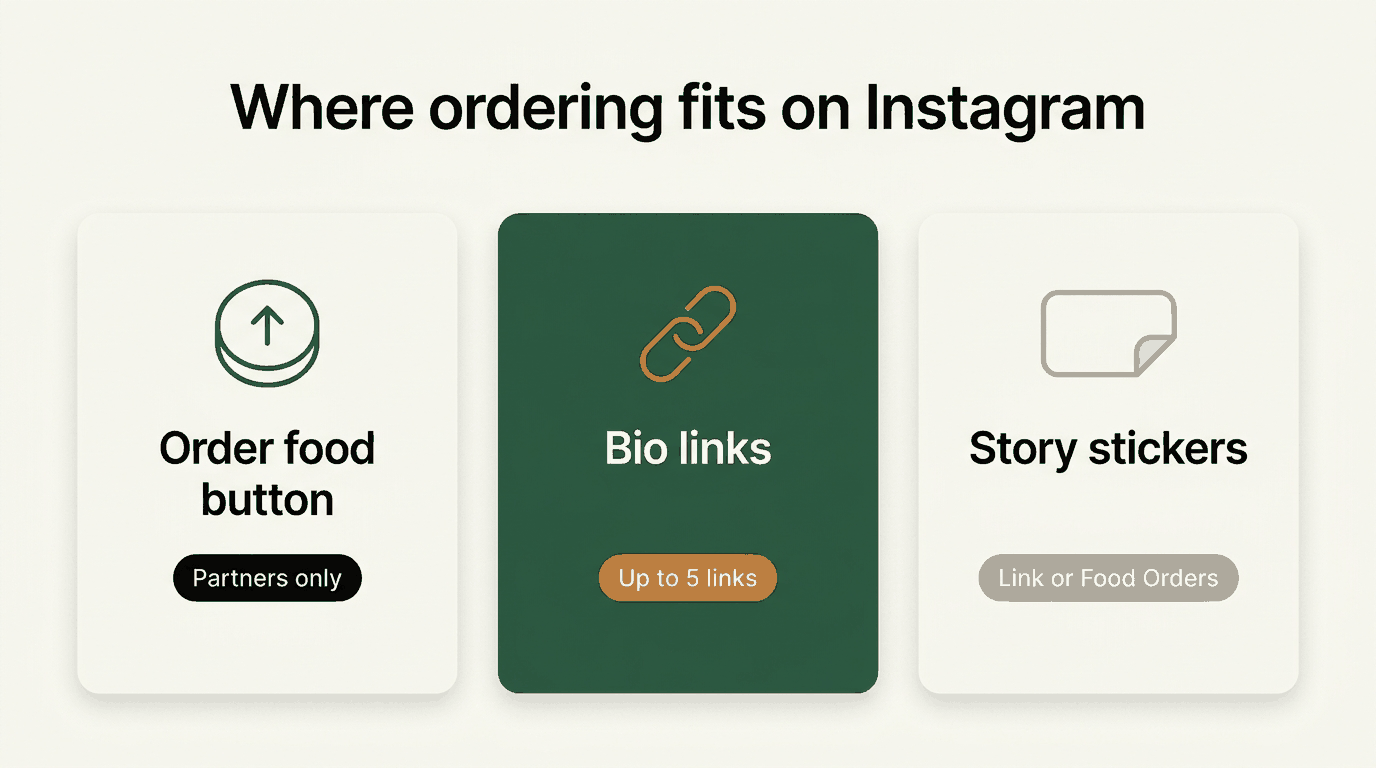
Instagram gives restaurants three ways to send followers to an order:
| Placement | Where it appears | Works with any ordering link? | Source |
|---|---|---|---|
| Order food action button | A button on your profile | No, listed partners only | Instagram help |
| Links in bio | Your profile, under your bio | Yes, up to 5 links | Instagram help |
| Food Orders sticker | Inside a Story | Partners only | Instagram help |
| Link sticker | Inside a Story | Yes | Instagram help |
The action button looks the most official. The bio link is the most flexible. Most restaurants should use both if they can, pointed at the cheapest place for an order to land.
How do you add the Order food button, step by step?
Step 1: Check the requirements
Per Instagram's setup requirements for food orders, you need:
- A business or creator account. Personal accounts can't use it. You can switch in your account settings.
- Food orders set up with a partner, following the instructions on that partner's website.
Instagram also notes the feature "is being gradually introduced and may not be available to you yet."
Step 2: Confirm your partner is on Instagram's list
Instagram publishes its food order partners by country. In the United States, as of September 2026, the list is:
Allset, Caviar, ChowNow, delivery.com, DoorDash, Grubhub, LoyLap, Postmates, Ritual, Seamless, Slice, SpeedETab, Toast, and Uber Eats.
In Canada: Caviar, ChowNow, DoorDash, Ritual, SkipTheDishes, and Uber Eats.
If your ordering system isn't listed, skip to the bio link section. The action button won't connect to it.
Step 3: Add the button
From Instagram's action button instructions:
- Go to your business profile on Instagram.
- Tap Edit profile.
- Under Public business information, tap Action buttons.
- Select Order food.
- Connect it to your partner's service.
- Tap Done.
Instagram lists three action buttons: Book now, Reserve, and Order food. Only one can show on your profile at a time, so if you already use Reserve for reservations, you'll have to choose between them.
Step 4: Test it as a customer
Open your profile from a friend's phone (or a second account), tap Order food, and make sure it lands on your restaurant's menu with the correct location and hours.
How do you add the Food Orders sticker to a Story?
Stories are where a lot of hungry scrolling happens. Per Instagram's Food Orders sticker guide:
- Choose a photo or video for your Story (tonight's special works well).
- Open stickers and select Food Orders.
- Add your food-ordering partner.
- Add the partner link for your restaurant, then tap Done.
- Place the sticker where you want it. Tap the color wheel to change its color.
- Share the Story.
The fine print: one Food Orders sticker per Story, viewers can reshare it to their own Stories, and you won't be notified when they do. Like the action button, it depends on having a partner.
How do you put your own ordering link in your Instagram bio?
This works with any ordering page, no partner required. Per Instagram's help page on adding websites to your profile, you can add up to 5 links:
- Tap your profile picture (bottom right) to go to your profile.
- Tap Edit profile.
- Tap Links, then Add external link.
- Paste your ordering URL, then tap Done.
To put your ordering link first, go back to Edit profile, tap Links, open the Options menu, and choose Reorder links. Drag it to the top.
A few habits that help:
- Link straight to the menu, not your homepage. Every extra tap loses orders.
- Say it in your bio text too: "Order direct, link below."
- Add a link sticker to Stories that feature food. Instagram's link sticker page notes these work in organic Stories (ads use a separate call-to-action sticker).
Why is the Order food button not showing?
This is one of the most searched Instagram questions from restaurant owners. Work through these:
- Your account is personal. The button needs a business or creator account.
- You haven't set up food orders with a partner. Instagram requires an existing account with a listed partner before the option connects.
- Your provider isn't on the partner list for your country. Check the list.
- The feature hasn't reached your account. Instagram says it's rolling out gradually.
- Another action button is active. Only one shows at a time. If you only see Order food and wanted a different button, that's the same rule in reverse.
- Your app needs an update. It's a basic step, but update Instagram and check again before digging further.
If none of these fix it, fall back on bio links and link stickers. They don't depend on a partner, so they work today.
Which link should your Instagram actually point to?
Here's the part the setup guides skip. An Instagram follower is someone you attracted, with your photos, your food, and your time. When they tap Order food and land on a delivery marketplace, that marketplace charges you commission as if it had found the customer.
The math, using DoorDash's published pricing (checked September 2026): delivery commission is 15%, 25%, or 30% depending on plan. Say Instagram drives 10 delivery orders a week at a $35 average, and you're on the 25% plan:
| Per week | Per year | |
|---|---|---|
| Instagram orders | 10 | 520 |
| Order value | $350 | $18,200 |
| Marketplace commission (25%) | $87.50 | $4,550 |
That's $4,550 a year paid on customers your own content brought in. The plan-by-plan version is in our DoorDash commission rates breakdown.
Not every partner is a marketplace. Instagram's US list includes direct-ordering systems too, such as ChowNow and Toast. If you use one of those, check its pricing and point the button there. And DoorDash itself offers a separate Online Ordering product that it describes as commission-free for orders from your social media, website, and Google, with a standard payment processing fee.
Where does Menuline fit?
To be straightforward: Menuline is not on Instagram's Order food partner list as of September 2026, so a Menuline ordering page can't power the Order food button or the Food Orders sticker.
What it can do is sit at the top of your bio links and behind your Story link stickers. Every Menuline restaurant gets a website with commission-free ordering, and the ordering page has its own address you can paste into Instagram, like timtimsgrill.com/menu or thehalalburgerchicago.com/menu.
Some restaurants run both: the Order food button through a partner for people who prefer their delivery app, and a first-position bio link to their own ordering page with a reason to use it, like a loyalty reward that only exists on direct orders.
Menuline pricing: $29/month (Starter) or $99/month (Growth), both $1/month for the first 3 months, month-to-month. 0% commission to the restaurant. Diners pay a 5% platform fee at checkout. The Growth plan adds a branded iOS and Android app and AI email marketing to bring Instagram customers back. See pricing.
Where else should the same link go?
Instagram is one doorway. Use the same ordering link in the others:
- Google Business Profile: make it your preferred ordering link, so searchers don't get routed to a delivery app. See How to Add Online Ordering to Google.
- Your website: an Order Online button in the header and on the homepage. See How to Add Online Ordering to Your Website.
- Packaging and the counter: a QR code on bag inserts and by the register. The free QR code menu generator makes one in seconds.
The bottom line
Instagram's Order food button needs a business or creator account and a listed partner, and only one action button shows at a time. Anyone can add up to 5 bio links and Story link stickers with any ordering page.
Use whatever combination fits, but decide on purpose where your followers' orders land. If it's a marketplace, you're paying 15–30% on customers you attracted yourself. If you want a commission-free place to send them, see Menuline pricing, or run the free Menuline AI grader to see how your online ordering setup scores today.