
When someone in your neighborhood searches "sushi near me" or "best brunch in town," Google decides which restaurants they see. Restaurant SEO is the work of making sure yours is one of them, and unlike ads, the results keep working after you stop paying for them.
The good news: restaurant SEO is mostly a checklist, not a dark art. Here's the whole playbook.
What actually determines whether your restaurant ranks?
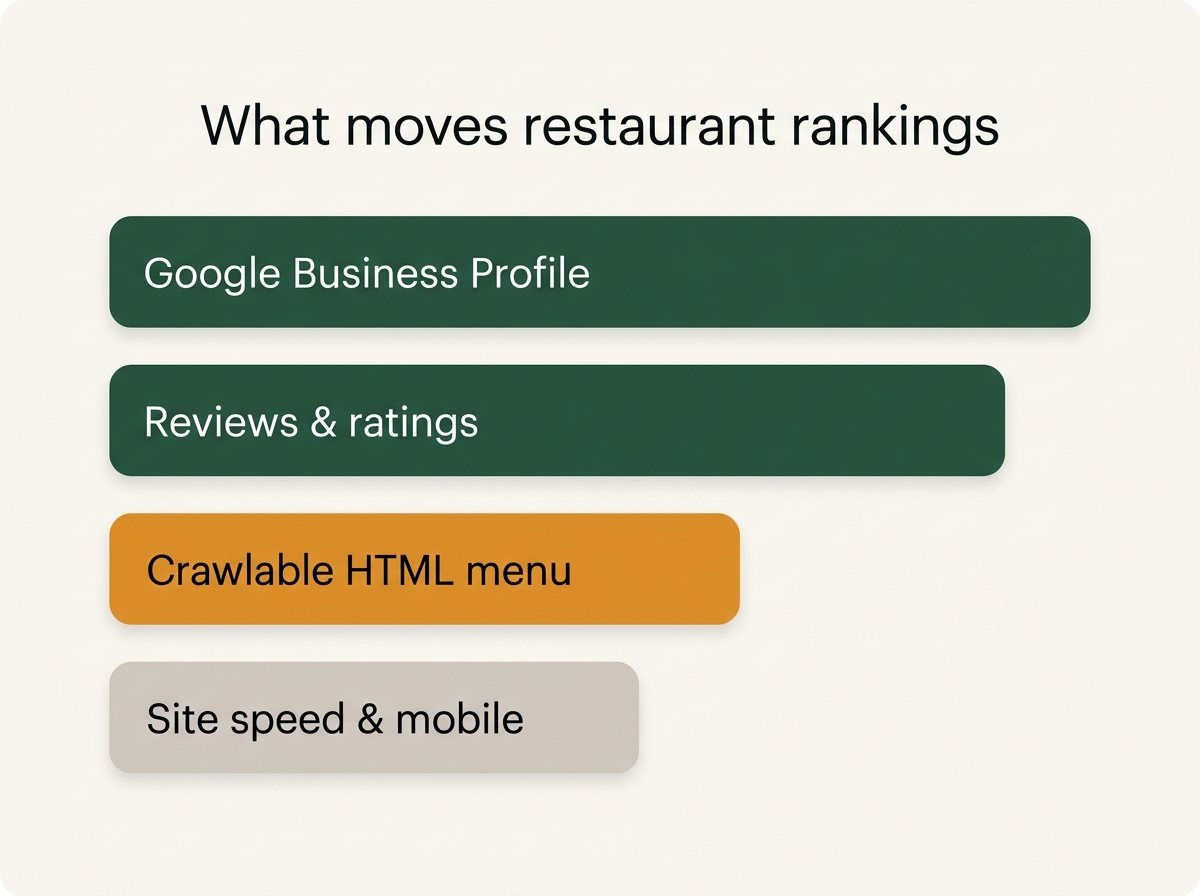
For local searches, Google pulls from two places:
- The local pack: the map with three businesses that appears at the top of results. This is driven almost entirely by your Google Business Profile, your reviews, and your proximity to the searcher.
- Organic results: the regular links below the map. This is where your website competes: menu pages, location pages, and content.
Most restaurants over-invest in one and ignore the other. You need both, because customers use both, and because AI assistants like ChatGPT increasingly pull from the same sources when they recommend restaurants.
Is your Google Business Profile complete?
Your Google Business Profile (GBP) is the highest-leverage asset in restaurant SEO. Before touching your website, make sure:
- Primary category matches what you actually are ("Thai restaurant," not just "Restaurant")
- Hours are accurate, including holiday hours; wrong hours generate one-star reviews
- Photos are recent and yours: food, interior, exterior
- Your direct ordering link is set, so Google sends orders to you instead of a delivery app
- You respond to reviews, especially negative ones
This deserves its own deep dive; see the full Google Business Profile guide.
Why should your menu be HTML, not a PDF?
This is the single most common restaurant website mistake. A PDF menu:
- Is difficult for Google to crawl and rank
- Loads slowly on phones and forces pinch-zooming
- Can't be linked to from search results for a specific dish
An HTML menu page turns every item into a searchable query. Someone searching "lamb shawarma [your city]" can only find you if "lamb shawarma" exists as real text on a real page of your site. Structure it properly: one page (or clearly organized sections) with dish names as headings or list items, descriptions, and prices as text, never as an image or embedded file.
Which keywords should a restaurant target?
Skip generic terms you'll never win ("best restaurant") and target searches with local, specific intent:
- Cuisine + city / neighborhood: "Neapolitan pizza Logan Square"
- Dish + near me equivalents: "birria tacos delivery [city]"
- Occasion terms: "date night restaurant [neighborhood]," "private dining [city]"
- Ordering intent: "[your restaurant name] order online". You'd be surprised how many restaurants lose this search to DoorDash's listing of their own menu
Put these phrases in page titles, headings, and naturally in body text. One page per major intent works better than one page stuffed with everything.
How much do reviews matter?
A lot, for rankings and for the humans reading them. You can't buy reviews, but you can build a system:
- Ask at the moment of happiness: after a great visit or a smooth pickup order
- Make it effortless: a QR code on the receipt or a follow-up text with a direct review link
- Respond to everything: thoughtful responses to critical reviews are read by hundreds of future customers, not just the reviewer
Automated post-order follow-ups are one of the things Menuline's AI marketing handles for you, so review requests go out without anyone on staff remembering to send them.
What is schema markup and do you need it?
Schema markup is structured data: code on your site that tells search engines explicitly what your business is. A Restaurant, with these hours, this cuisine, this price range, this menu. It helps Google display rich results (stars, price range, hours directly in search) and helps AI assistants understand your restaurant when generating recommendations.
The essentials for a restaurant site:
Restaurantschema with name, address, phone, hours, cuisine, and price rangeMenumarkup for your menu pages- Consistent name, address, and phone (NAP) matching your Google Business Profile exactly
You don't need to hand-write JSON-LD; a good platform generates it. Menuline builds it into every site automatically.
Does site speed really affect rankings?
Yes, page experience is a ranking input, and more importantly, slow sites lose customers before rankings even matter. A hungry person on a phone will not wait for a bloated homepage to load. Priorities:
- Compress images (food photos are usually the biggest offenders)
- Avoid heavy page builders and unnecessary scripts
- Make the "Order Now" button visible without scrolling
Restaurant SEO checklist
Work through this in order:
- Claim and fully complete your Google Business Profile
- Replace any PDF menu with a real HTML menu page
- Add city and neighborhood keywords to your titles and headings
- Add Restaurant and Menu schema markup
- Set your direct ordering link on Google, not a third-party app's link
- Build a review request habit (or automate it)
- Compress images and test your site speed on a phone
- Keep hours, menu, and prices current everywhere
How do you know where you stand?
You could audit all of this manually, or run the free Menuline AI grader. It checks your website, Google presence, and online ordering setup in about a minute and shows you exactly what's holding your restaurant back. If the fixes look like a lot of work, that's the problem Menuline exists to solve: AI-built, SEO-optimized restaurant sites from $29/month, with commission-free ordering on every plan.